40+ Essential Drupal Modules

01.04.2010

If you are new to drupal, then this list is for you. These are some of the best of the best drupal modules. Everything from standard framework modules, to location and mapping is covered. Note that if you've been emersed in drupal for some time, than this will be "old news".

The Big Three

"The big three" are important enough that they deserve a category of their own. Most drupal modules worth using have integrated with one of these three. Their importance simply can't be stressed enough.

  • Content Construction Kit (CCK) - Part of drupal 7; still a contrib in drupal 6. Allows you to define new content types (e.g. blog entry, event, or employee record...) and add "fields" to them. A field could be plain text, an image, a flash video, or whatever. You can also adjust how these fields display in the live view. No drupal install should be without this module.
  • Views - Broadly speaking, this module empowers non programmers to build dynamic streams of content displaying any number of fields. The content may come from nodes (a.k.a. content types and fields), users, system log entries, etc. You can display this stream in any number of formats including RSS feeds, tables, or just the vanilla view for a content type. You can also create pages or blocks -- its very tightly interwoven with drupal. Nearly every drupal module worth using is integrated with this module. Extremely powerful when used in combination with CCK.
  • Panels -

    I believe Panels + CCK & Views is a hint at what drupal will look like 3 years into the future. I had to change my pants after the first time I witnessed it. At a very simple level, you could think of it as a layout manager. Create a 1,2,3 column layout. Or a 3 column layout with a full width footer and header, and plop pieces of content in them -- say a view, a block, or a node. That description, however does not do it justice. Since version 3, its positioned itself as a replacement for drupal core's clunky block system. It can now override a node page, and can be used to place content all over the place. It also introduced a concept of contexts, selections rules, and relationships. These are concepts that deserve a series of blog posts, but lets just say its solving some of the weirdest, mind numbing, bug creating problems found in advanced websites. Ironically, I used to hate this module, but after version 3 I will defend its awesomeness to the death!

For Administration Sanity

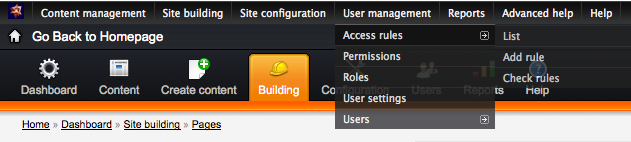
  • Admin Menu - Quick Dropdown menu to all admin areas. Makes any setting only a click away, instead of 3 to 6 clicks away.
  • RootCandy - A theme specially designed for administration. Drupal 7 comes with an admin theme included, but this is still highly recommended in drupal 6.


Content and SEO

  • Pathauto - Automatically create human readable URLS from tokens. A token is a piece of data from content, say the author's username, or the content's title. So if you set up a blog entry to use tokens like [author-name]/[title] then a blog entry by "Phil Withersppon" titled "my great day" will be rewritten example.com/phil-witherspoon/my-great-day.
  • Printer, email, and PDF Versions - There are still people out there who prefer to print out content to read later. This module does just that, and also lets them send your content via email.
  • NodeWords - A very poorly named module that's great at letting you edit meta tags.
  • Page Title - Lets you set an alternative title for the <title></title> tags and for the <h1></h1> tags on a node.
  • Global Redirect - Enforces numerous well thought out SEO rules, for example since I don't use this module you could access my content at "http://www.nicklewis.org/node/1062". This module however will search for the alias and 301 to the proper URL http://www.nicklewis.org/40-essential-drupal-6-modules. (thanks Jeff!)
  • Path Redirect - Simple idea: make it easy to redirect from one path to another. Does a good job at it.
  • Taxonomy manager - Makes large additions, or changes to taxonomy really really easy and painless.
  • Node Import - Made it shockingly easy to import 2000 csv rows, tie rows to CCK fields (or locations), and even will file it under the right taxonomy terms in hierarchy so long as you plan ahead.

Navigation

  • Menu Block - Lets you split menus into separate blocks based on depth. Say you have a top level menu link "Articles" with sub menu links "Politics", "Technology", "lifestyle". This block would let you show the sub menus in the right sidebar, and the top level "article" as tabs in the header.
  • Taxonomy Menu - Automatically generate menu items for categories. Handles syncing between taxonomy and menus, and is ready to be used in conjunction with views or panels.
  • Custom Breadcrumbs - Set up custom breadcrumb paths for content so that every page doesn't just have a breadcrumb back to "home". (note: i've used menu_trails a lot too.)
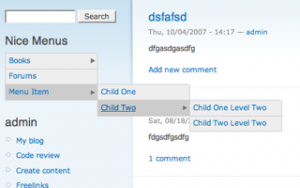
  • Nice Menus - Drop down menus (for people who are into that kind of thing).
WYSIWYG Editors + Image Uploading

  • WYSIWYG API - The standard integration module.
  • CKEditor - Currently my favorite WYSIWYG editor. WYSIWYG API only supports CKEditor on its dev version (at the time of this writing). For the time being, I use this module instead of WYSIWYG api. Regardless, the rest of the world probably uses WYSIWYG api.
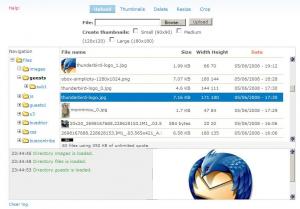
  • IMCE - File browser / image inclusion for WYSIWYG editors. CKeditor is integrated out of the box, WYSIWYG API implementations require a bridge module.
Video and Image Handling

  • Filefield - Base CCK file upload field. Useful on its own, but also required by other essential modules.
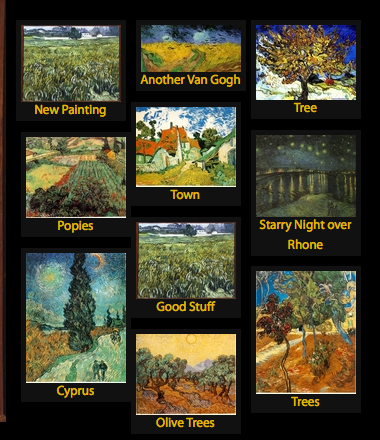
  • ImageAPI, ImageCache, Imagefield - These three work together. ImageAPI handles low level integration with server side image processing (e.g ImageMagick). ImageCache allows you to set up presets for automatic resizing, cropping, and a host of other operations you'll probably never need to use. ImageField then provides an upload field to a piece of content, which you can use imagecache presets to resize in the display. Imagefield is very well integrated with Views and CCK. The paintings on the right show a bunch of images automatically resized using this technique.
  • Lightbox2 - If you've set up your imagefields, lightbox2 lets you add another layer of options. For example, display image resized at 300px wide on the page, but blow it up to full size when clicked. Like Imagefield, lightbox 2 is well integrated with Views and CCK. Very powerful combination.
  • Embedded Media Field - Embed video and audio files from dozens of third party providers ranging from youtube, to services you've probably never heard of.

User Profile, Ratings & Notifications

  • Content Profile - The core profile module sort of sucks. This turns profiles into nodes allowing you all the options of views and CCK.
  • Voting API + Fivestar - The standard voting widget of Drupal.
  • Notifications - Provides the ability to send emails when someone comments, or replies to a comment. Has a host of other features.
  • Captcha + Recaptcha - Standard Antispam system. In use on this very site.

Stuff Marketers Will Love

  • Webform - We all know visitors love filling out forms. This module lets your marketing team create custom forms, and collect whatever info they want.
  • Google Analytics - Simple integration of drupal with google Analytics.
  • Service Links - Easy "share this" links for content. Supports digg, facebook, delicous and a bunch of other social web 2.0 services.

Events and Calendars

  • Date - CCK field for handling dates, and date ranges.
  • Calendar - Integrated and controlled by views.

Location and Mapping

  • Location - Standard API for collecting addresses and lat/long. Integrated with Views and CCK. Somewhat difficult to use, but its a somewhat difficult problem it solves.
  • Gmap - Display locations in GMap.

Ecommerce

For Developers

  • Devel - Offers an enormous amount of information for developers, including: theme template variables, and overrides, browsable data structures, and datasets for performance-tuning. Just the debug function dsm(); makes it worth the download.
  • Backup & Migrate -- Greatly eases the pain of moving changes from your local development environment to the live server and vice versa.
  • Drush - Its actually not really module, but a "Swiss army knife" set of tools that are run from a command line. One example command is "drush dl views": running it will automatically download the latest version of views and place it in the right drupal folder. 1 second command instead of a 1 minute process of downloading from drupal, uploading via FTP. There's many other commands that are just as useful.

Conlusion

Lists like this can be outdated within six months. Always be on the look out for better and better modules.

Comments

thanks very much for the list

thanks very much for the list Nick, very helpful, it's always in my bookmarks :)

Great list Nick - Really

Great list Nick - Really helpful for those who are just getting on the Drupal train.

Was going to post a similar

Was going to post a similar article but you really nailed 99% of the modules that I call "required".

Nick, what would you say

Nick, what would you say about YUI Editor? Could you make a comparison among this one and WYSIWYG API, CKEditor and IMCE? I remember reading one article where you said YUI Editor is nice and a "first choice". What are your newest opinions about Wysiwyg editors?

You should check out the

You should check out the module "views_datasource" it can make XML and JSON files which can then be read by other applications like Flash.

I was able to make a Flash MP3 player with CCK, Views, and Imageache.

This is stupid awesome. I

This is stupid awesome. I can't wait to dig in to all of these.

We just ported to Drupal the

We just ported to Drupal the "NotCaptcha" wp-plugin.

Try it: http://cloudgears.com/notcaptcha-for-drupal

Great list. some of them I

Great list.
some of them I used, but some of them, I know, I have to learn..
Thanks!

Great list there. We use

Great list there. We use Drupal a lot and love seeing additional modules which people are also using. For anyone out there starting to play around with Drupal or if you havent got the above modules installed, get them and start playing. Thanks for such a great breakdown!

Great list Nick, thanks, few

Great list Nick, thanks, few there I've missed up until now and must check out.

This would probably make it in to the SEO section:
XML Sitemap module to auto submit your (configurable) list of links to Search engines, google, ask.com, bing, etc. Just started using it recently, its great, few nice features like human readable sitemap using xsl.

Cheers,
Paul

Nick - I only read the first

Nick - I only read the first section of this post and I already know I'll be your devoted fan for life.

Your Big Three made me want to jump for joy -- you've just simplified my life to no end.

Thank you thank you thank you.

- Lisa

My site isn't up yet, but I

My site isn't up yet, but I have done two others using drupal and love it! Thanks for the tips to some modules I hadn't heard of yet - I'm going to check them out.
I want to create a links page that shows the thumbnails of the sites I'm linking to, so I'm looking for a module that can generate thumbnail images of the home pages of other sites. Has anyone heard of anything like that? If so, would you mind emailing me? Thank you very much!

hey thanks for compiling

hey thanks for compiling this...

Great recommendations. Love

Great recommendations. Love the list keep up the good work. I stop back from time to time to find out what i am missing. Yeah definitely recommend "External Links" @ http://drupal.org/project/extlink Wish i would have know about this one before i started messing with the drupal core, trying to 'fix' some things. Stop by and say "hi" http://dcs777.homeip.net

Very good list. I've never

Very good list. I've never heard of rootcandy before, I'll try it out now. oh, and I'd add Token module to your list as well ^^

Hi Nick- Great list, and

Hi Nick-

Great list, and thanks to @johnpicozzi for passing it along. Couple of things: there's a 'ShareThis' and 'AddThis' modules that tie in nicely to those services instead of Service Links (that one was decent in D5, but lags).

I've also put together a 'recipe' of sorts for a gallery when I couldn't get the results I was looking for. Haven't figured out an easy way to package it up though - maybe the Feature module! Short list: includes a view page of galleries (with title, random image) and then per page a grid of thumbnails with title, etc. and light-box enabled. Within the popped up lightbox image you can do the 'prev/next' bit to go through all the images, also the ability to add multiple photos at once and tie them to the same image gallery, each with its own node.

I've also helped get a Typekit module (http://drupal.org/project/typekit) out (and am now the co-maintainer!). Next is a D7 port of that one.

Still in development, but I've had good luck with image_fupload (Flash upload allowing multiple files selected for upload at once) - used that in the gallery solution above.

Also - for another great list of 'essentials' check out the Lullabot podcast (episode 80) for their latest 'top 40' compendium. Lots of overlap with this list, but some real gems.

OH - and Mollom for anti-spam on forms. The free version is fine for most, and only presents a captcha when it detects something fishy with the submission, so most users never see it. Kinda nice.

Cheers,

Jason

36 of which I already use,

36 of which I already use, great list, and I look forward to trying some of the one's I've not used yet (especially the menu ones) they look great.

Might I also suggest Menutrails (http://drupal.org/project/menutrails) which adds menu highlighting based on categories, page types and other options other then menu hierarchy.

This is perfect! I have an

This is perfect! I have an upcoming Drupal job and what wonderful timing :) You seem to really know your stuff.

Nice list! I would add i18n

Nice list!

I would add i18n

How about multilingual

How about multilingual content? Any modules and/or tutorials on how to extensively use them?

I know Drupal has some really powerful abilities for creating multilingual sites

Also a Joomla+JoomFish + Drupal+i82n or a similar module comparison would be great

Great list, especially useful

Great list, especially useful for when you have to justify why you have used all these modules.

Perhaps this module might make it into the list?

Site Documentation - http://drupal.org/project/sitedoc

This module gets all the bits of configuration info and dispalys it in a one page overview. Pretty useful.

This is very good to get

This is very good to get acquainted with drupal especially for beginners like me!! I would like you to have some more modules particularly advanced modules.This is very helpful really!!! Thanks......

Great and very helpful

Great and very helpful list!!! I would add for admins and developers section Plugin Manager. It makes new modules installation process hundred times faster compared to usual way. Few clicks to install a module or theme instead of downloading to local computer, uploading to your host and unpacking. No need to keep temp folder on you local machime for this purpose, no need to keep control panel of host open

SMTP Authentication Support

SMTP Authentication Support This version is not compatible with Drupal 7.x and should be replaced

How to send mail from localhost with Drupal 7?

Thanks

This list is a real "must

This list is a real "must have" list. Unfortunately not all of these modules correctly support postgresql. I wish I had more time to fix this at list for some of them.

great list. i'm already

great list. i'm already dedicated to many modules on your list, thus it's reassuring to get some affirmation. you always wonder if maybe there's something better than what you're using... but knowing you endorse modules of which i'm already fond it great. i did pick up a few new ones tho! contronpanel was a great find. i look forward to using this one on some managed drupal sites where i've been looking to reduce learning curves for newbs.

Great, as usual, Nick !

Great, as usual, Nick !

I found these two module

I found these two module helps alot: menu_editor => create multiple menu easily and fast nodeadmin => adminster your node easily http://www.drupalstore.info -> buy module and theme

Just added: Path Redirect

Just added:

  • Path Redirect - Simple idea: make it easy to redirect from one path to another. Does a good job at it.
  • Taxonomy manager - Makes large additions, or changes to taxonomy really really easy and painless.
  • Node Import - Made it shockingly easy to import 2000 csv rows, tie rows to CCK fields (or locations), and even will file it under the right taxonomy terms in hierarchy so long as you plan ahead.

Great list...after reading, I

Great list...after reading, I think I'll give Panels a try again.

Great list, very handy. Thank

Great list, very handy.
Thank you for sharing

Good collection. Thanks

Good collection. Thanks

Exactly what I needed. It is

Exactly what I needed. It is actually a little difficult to find good documentation on Drupal.
Mostly unlearning what I learned with other CMS systems. Thanks for the resources.

good list i use most of what

good list i use most of what you suggested farely regularly, a couple quick comments

1. service links sucks - i used to use it but i find you dont really need a module, you can just instead js from one of these sites that gives you the same functionality in a little js widget
2. gmap is the most maddening module. i have tried it multiple times and i cannot get it to do what i need to do w/it.

service links sucks - i used

service links sucks - i used to use it but i find you dont really need a module, you can just instead js from one of these sites that gives you the same functionality in a little js widget

Yeah, its one of those suggestions that's there because its the least sucky scratch for a common itch. The JS widgets are cool, so long as you don't have marketers who want it to look a precise way.

Agree with GMap/location generally -- there's a lot of ways to mess up using it -- but again, there's no better alternative -- and it *does* work as soon as you figure out little details like google api keys not working @ localhost etc.

Great write up! Two modules

Great write up!

Two modules on the list that stood out to me where Panels & Content Profile.
While I love the panels module I'm not it'll be needed once Context 3 is released. got super excited when I saw this http://vimeo.com/7643255.

Also in Drupal 7 user fields are now node fields so I do you think Content Profile will still be needed or developed? I haven't been able to find anything saying yes or no.

Cheers
Tom

Contexts looks promising. Its

Contexts looks promising. Its the low (though steadily growing) adoption rate, and lack of results "from the field" that keep me from calling it "essential". I also can't really recommend modules that I don't have solid personal experience with. Its squarely competing on panels turf which is great for us: may the best module win. My wager is on panels -- but, i've playing the game long enough that i'm ripe to lose a bet .

I've beenusing wordpress for

I've beenusing wordpress for a while now, but i am considering switching to drupal. You helped me make up my mind finally. Thanks

Nice list. I think you've

Nice list. I think you've captured the core set of modules there that can be used almost without thinking on new builds. The only omission for me would be the jQuery update.

Very nice list! Maybe would

Very nice list! Maybe would be worth to mention some spam protection modules, such as mollom and captcha.

And thanks for including rootcandy on the list. Makes me feel that all that work that went into it was worth it :)

Ps Otherwise a very, very

Ps Otherwise a very, very nice core list.

More heavy duty modules: token, rules, ctools.
Added category Internationalization: i18n, locale an l10n_client.
Added category Usability: vertical_tabs, jquery_update, jquery_ui, better_formats

Damn nice list. Figuring out

Damn nice list. Figuring out the best way to handle all these great suggestions. I confess that with some of them, i figured that the intended audience wouldn't care about "ctools" so just let drupal modules page alert them. I didn't say I wasn't evil. Only place I disagree with is jquery_ui. Does that module do anything yet?

I've always eager to steer

I've always eager to steer clear of panels when it was at version 2. I would like to give it another shot. Should I see it as an alternative to Context and Spaces, as an alternative to Blocks, as a fast way to visualize preliminary tpl.phps or as something in its own? In the last case, what is the something?

I'd go to panels faster for

I'd go to panels faster for no other reason than its had a year more time to figure out how it can make administering a website crappier instead of better. Context and spaces are *promising* but they really really have to prove themselves in real world usage (as well as in my usage where my fat stupid head decides good and bad).

Hey Nick great list.. Didn't

Hey Nick great list..

Didn't realise panels did so much.. must try it out.

I would add the admin module to your list,
it is similar to rootcandy in that it includes an admin theme but also adds a lot of UI improvements for content editors. eg contextural "edit" links for blocks, views and nodes.

Very handy list! I certainly

Very handy list! I certainly make use of most of these right now.

A few others I would add: External Links, Menu Per Role, SimpleMenu, Vertical Tabs, Semantic Views, Secure Pages (essential w/ ubercart), and String Overrides

Mentioned in a previous

Mentioned in a previous comment but for image file handling http://drupal.org/project/insert is a great one, especially paired with http://drupal.org/project/filefield_sources to get images from URLs (if you're usually saving to your computer and re-uploading, save a step-- both by Nate Haug) and http://drupal.org/project/pathologic to clean up the absolute paths Insert inserts if you move from one domain to another when taking a site live (all just discussed at the Boston Meetup!)

[Look here, Drupal, if my name belongs to a registered user it's because it's me... let's try it this way... appropriate captcha, "and tenacity"...]

Nice post! It's great to see

Nice post!

It's great to see that i'm on the same page as you.

Best, Paul

We install LDAP Auth and SMTP

We install LDAP Auth and SMTP everytime. Just thought it should be mentioned.

The LDAP module needs some

The LDAP module needs some serious love IMHO. Its very drupal 5 -- and very good for drupal 5 -- no so much for what you'd expect out of drupal 6. I don't want to discount the work that's put into it, but it needs an update to let be at least as flexible as hook_user. Can't speak from close personal experience with SMTP.

The LDAP module is very

The LDAP module is very useful, but as you said, it needs love and attention. I'm running the 5.x version of it for our Intranet and I had to patch it a lot to get rid of the serious performance issues it inflicts on any system. Even with as few as 150 users (which we have) the module can bring page load times into a nightmare if several users are loaded on the same page. I've managed to decrease the page load time to ~20% by patching how the module synchs and connects to the LDAP server. Hopefully I will be able to port the patches to the 6.x version to give the module the love and attention it needs. :)

My top 5 are: Views, CCK,

My top 5 are: Views, CCK, Flag, Rules, Panels. I think the Flag & Rules combo is less known in the community, but there are so many use cases one can use them. Because they are a bit abstracted it's hard for newbies to realize their potential.

Anyway, nice writeup :)

I confess i'm ignorant of

I confess i'm ignorant of them, and need to give them spin! (I hate both the concepts of flags and rules btw, no one is perfect).

Check it out --

Check it out -- http://www.gizra.com/content/user-points-rules-style . A tutorial with "Nick Lewis" as it's opening words ;)

haha -- well, i'm actually

haha -- well, i'm actually going to use those on monday for a project i'm working on. i'd  add them -- but i follow a staunch rule of not listing anything i've never used for a real project ;-)

I also recommend using

I also recommend using Galleria for the image gallery, it has a nice carousel and a lightbox integration

Galleria looks just great. Is

Galleria looks just great.
Is it possible to have (simple) integration between Galleria and menalto-gallery (http://gallery.menalto.com) ?

Could share knowledge if you

Could share knowledge if you have experiencing issues with the background of CKEditor? I'm tearing my hear off that I could not have my CKEditor to show white or whatever background. Currently is showing my template's background which is black-mesh and... So, if you can help me, I'll be so grateful for your help.

Cheers,
Kal

@Kal - in your WYSIWYG

@Kal - in your WYSIWYG CKeditor profile, in the CSS section, change "Editor CSS" from "Use theme CSS" to something else. "Use theme CSS" is using the body background from your theme for the background in the editor window.

@Nick Lewis - great list, thanks! I picked up a few new ideas.

Actually haven't run into

Actually haven't run into that issue -- and oddly i was expecting to on a recent project. I would think that first you want to determine what profile the editor is using, then look for style/theme settings - if its set to something like "use theme css" try changing it to a default.

Also - remember with at least TinyMCE you could write special CSS rules for the editor (since they tend to have their own particular markup IDs) like body #some-wysiwyg-id-in-the-textarea { background-color:#fff;} -- that might be worth a try to.

Shameless plug: people using

Shameless plug: people using Taxonomy for hierarchical vocabularies or large menus may want to give Hierarchical Select a try — there's a demo available.

I love that module! I

I love that module! I couldn't consider it for inclusion because I've never had a chance to use it on multiple projects. However, I did have a really good experience with it when i gave it a test run.

This list is perfect for this

This list is perfect for this point in time, and the ordering is very good too. I would add Global Redirect under an "SEO" category, and the Insert module (along with ImageField) as an essential end-user content creation tool. Other than that, these modules are the kings of the crop, as far as general-purpose installations go.

Obviously an oversight on my

Obviously an oversight on my part (see the module's usage stats!). Added a link and thanks!

I really need to get more

I really need to get more familiar with Panels 3. Do you have any good links or tutorials you could point me to?

I got the hang of it reading

I got the hang of it reading the advanced_help text and just toying around. I see there's some documentation for it on drupal.org You'd want to be careful to limit your search to "panels 3" as tutorials for previous versions of panels are probably not going to be that helpful.